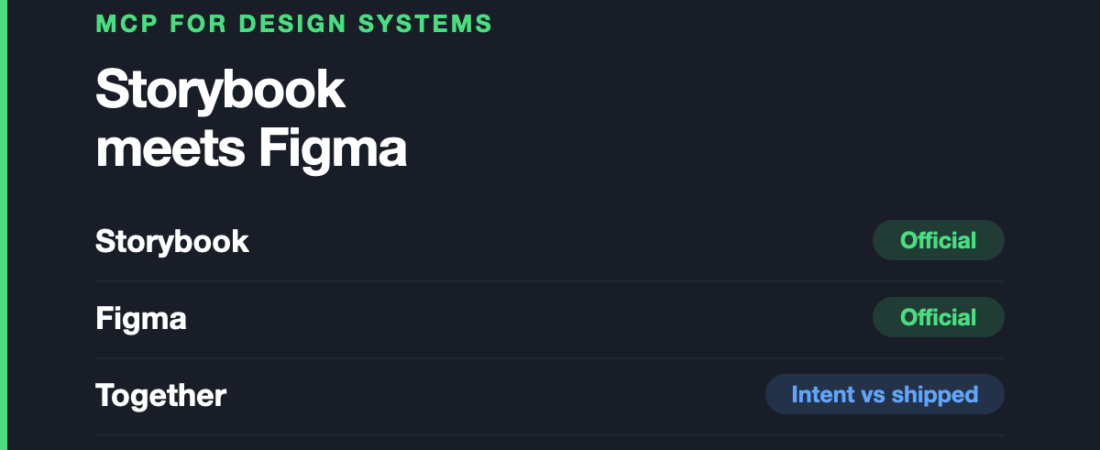
Design systems are the one place in this entire series where AI code generation genuinely works well, and the reason is not that the models are better here. It is that a design system is the only design artefact that is already structured, named and machine-readable by intent.
Everywhere else, an assistant is inferring intent from geometry. In a design system, the intent is written down.
This is the seventh article in our series on MCP servers, discipline by discipline, following product design.
Storybook: official, and the piece most people are missing
Storybook ships an official MCP server from the Storybook team, and it is the most interesting connector in this article.
It runs against a live Storybook instance and turns it into a structured data source an assistant can query in real time — exposing component metadata, stories, prop types, usage examples and documentation in a deliberately token-efficient format. It delivers a curated Component Manifest covering APIs, variants, design tokens and usage snippets.
In practice that means an assistant can browse your component library, inspect an individual component’s real API, and scaffold new components from a description that follows your existing conventions rather than generic ones.
The distinction that matters: this is your actual implemented library, not a design file’s idea of it. Those two drift constantly, and the implemented one is the truth.
Where it falls short: it needs a running Storybook, so it works where Storybook already works — if your components are not in Storybook, this offers nothing. It also describes what exists; it has no view on whether your component API is any good, and will happily propagate a bad pattern consistently across everything it scaffolds.
The loop that actually closes
The reason to cover Storybook and Figma together is that each fixes the other’s blind spot.
Figma’s Dev Mode server supplies design intent — variables, components, spacing scales as designed. Storybook’s supplies implementation reality — the props that exist, the variants that shipped, the tokens actually in the code.
An assistant with only the first writes plausible code that ignores your conventions. With only the second it matches your conventions but cannot see what you intended. With both, the question “does this component match the design, and does it use our real API” becomes answerable in one place.
This is the strongest genuine argument for MCP anywhere in design, and it is worth being clear about why: it is not generation. It is reconciliation — catching the drift between design and implementation that normally goes unnoticed until someone files a bug.
Bear the tool ceiling in mind. Two connectors is a sensible spend from a budget of four to six, which is covered in the vibe coding article.
Design tokens, and the honest caveat
Tokens look like the ideal case: named values, machine-readable, the whole point of which is consistency.
Both connectors expose them, and an assistant that can read your real token values will stop inventing hex codes. That alone removes a persistent and annoying class of error.
What it does not do is fix a token system that is wrong. If your naming is inconsistent, if there are three greys that should be one, if half the components bypass tokens entirely — the assistant will reproduce all of that faithfully and at speed. These connectors are amplifiers, and they amplify whatever is actually there.
The practical implication: the payoff from this category is proportional to how disciplined your system already is. Teams with a tidy system get a real gain. Teams hoping this will impose order on a messy one have it backwards.
What is missing here
We could not verify meaningful MCP support for dedicated design-token tooling, or for Penpot as an open-source design-side source. Token pipelines are exactly the kind of structured, tedious transformation work that would benefit, so the gap is more surprising than most in this series.
Community Storybook servers also exist alongside the official one. Given there is an official one from the Storybook team, start there.
Frequently asked questions
Is there an official Storybook MCP server?
Yes, from the Storybook team. It connects to a running Storybook instance and exposes component metadata, stories, prop types, design tokens and usage examples to AI agents.
Do I need both Figma’s and Storybook’s servers?
Not necessarily, but together they are more than the sum of the parts: Figma supplies design intent and Storybook supplies implementation reality. Reconciling the two is the strongest use case in this series.
Will this keep my design system consistent?
It will keep generated code consistent with what already exists, which is not the same thing. If the existing system is inconsistent, that inconsistency gets reproduced faster. Consistency remains a governance problem, not a tooling one.
Does it work without Storybook?
No. The server reads a live Storybook instance. Without one there is nothing for it to expose.
Sources and when we checked them
All claims verified in August 2026.
- Storybook — Storybook MCP sneak peek
- Storybook RFC — MCP server integration
- Figma MCP server developer docs
Next in this series: MCP for web builders and no-code, where one major platform shipped an official server and its closest competitor has none at all.
122 ready-to-use AI prompts — organised by discipline and category, each copyable in one click, free and no sign-up needed. Browse the prompt library →