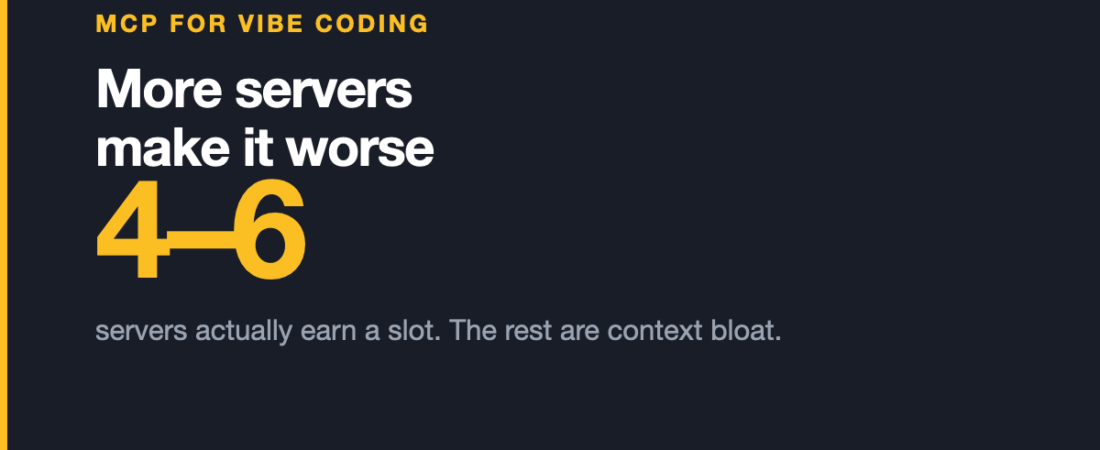
Almost every guide to MCP servers for coding assistants is a list of servers to install. This one starts with the opposite advice: install fewer.
That is not contrarianism. It is the single most practical thing to know about this category, and it is missing from nearly every roundup.
This is the sixth article in our series on MCP servers, discipline by discipline.
The tool ceiling, and why more servers makes your assistant worse
Every MCP server you connect adds its tools to a shared pool the model chooses from. That pool has a practical limit, and it is lower than people expect.
Cursor has a soft ceiling of roughly 40 active tools across all connected servers combined. Claude Code raised its ceiling in early 2026, but past roughly 50 visible tools the model starts picking the wrong one.
This is the part that catches people out. The failure is not an error message. It is your assistant quietly reaching for a search tool when it should have read a file, or picking the wrong one of three similar-sounding database tools. It looks like the model getting dumber. It is actually the model being handed too many near-identical options.
The practical guidance is to run four to six servers, not fifteen. A server advertising ninety tools is not a bargain — it is most of your budget.
This is worth internalising before anything else in this article, because it turns “which servers exist” into the much better question: which four do I actually need?
The categories worth a slot
Servers in this space cluster into a handful of jobs. Most people need one from a few of these, not all of them.
- Code and repository access — filesystem, Git, GitHub. The foundational slot; almost everyone wants one of these.
- Databases — Postgres, SQLite. Letting the assistant read your actual schema rather than guess at it removes a whole class of confident, wrong output.
- Web grounding — search and fetch. The difference between an assistant reasoning from training data and one reading today’s documentation.
- Reasoning aids — memory, sequential thinking. Useful, and the easiest category to over-install.
- Team systems — Slack, Linear, Notion, Sentry. High value if your context genuinely lives there, pure tool-budget waste if it does not.
- Browser automation — Playwright. The one designers tend to underrate: an assistant that can open your work and look at it closes the loop.
Where this sits for designers specifically
This series is written for designers, so the honest framing is that this discipline is not primarily about design tools at all — it is about the assistant that builds the thing.
Two combinations matter most if you design and ship:
Design context plus browser automation. Figma‘s server supplies accurate design context; Playwright lets the assistant open the result and compare. That closes a loop that was previously entirely manual, and it is the closest thing here to an assistant that can check its own work.
Design context plus a component library. Covered properly in the next article, but the short version is that pairing a design-side connector with a live component library is where generated code stops being generic.
The ecosystem numbers, and what they are worth
MCP passed 97 million SDK downloads per month in early 2026, and the public registry has grown past 9,400 servers. Every major coding platform now supports the protocol — Claude Code, Cursor, Windsurf, VS Code Copilot and JetBrains AI.
Treat the registry number as a warning rather than a feature. Nine thousand servers means the median one is unmaintained, and the tool ceiling means you can afford perhaps five. Selectivity is not caution here; it is the whole skill.
What actually goes wrong
- Tool collisions. Two servers exposing similarly named tools is a reliable way to get unpredictable behaviour. Symptom: the assistant does the right thing about seventy per cent of the time.
- Silent staleness. A server that stops returning useful data does not necessarily error — the assistant just proceeds with less context and sounds equally confident.
- Over-broad filesystem access. Scope it to the project. An assistant with read access to your whole home directory is a bad idea for reasons that have nothing to do with AI safety and everything to do with accidentally pasting a config file into a chat.
- Credentials in config files. Several servers want API tokens in a config that is easy to commit by accident. Check your
.gitignorebefore, not after.
Frequently asked questions
How many MCP servers should I install?
Four to six. Cursor has a soft ceiling around 40 active tools and models start mis-selecting past roughly 50 visible tools, so every additional server costs accuracy on the ones you actually use.
Why did my assistant get worse after I added servers?
Almost certainly the tool ceiling. Too many similar options makes selection unreliable, and it presents as vague incompetence rather than an error. Disable servers until you are back under the limit — the effect is usually immediate.
Do MCP servers work outside Claude?
Yes. Claude Code, Cursor, Windsurf, VS Code Copilot and JetBrains AI all support the protocol, which is the point of it being a standard.
Is a server with more tools better?
Usually worse, for the reason above. Tool count is a packaging decision, and a large surface consumes a budget you cannot expand.
Sources and when we checked them
All claims verified in August 2026. Ceilings and platform support in this category change quickly.
- Best MCP Servers for Claude Code & Cursor (2026) — source of the tool-ceiling figures
- 10 Best MCP Servers for Developers in 2026
- Figma — Introducing our Dev Mode MCP server
Next in this series: MCP for design systems, where the structure of a good component library turns out to be exactly what makes generated code stop being generic.
2014 ready-to-use AI prompts — organised by discipline and category, each copyable in one click, free and no sign-up needed. Browse the prompt library →