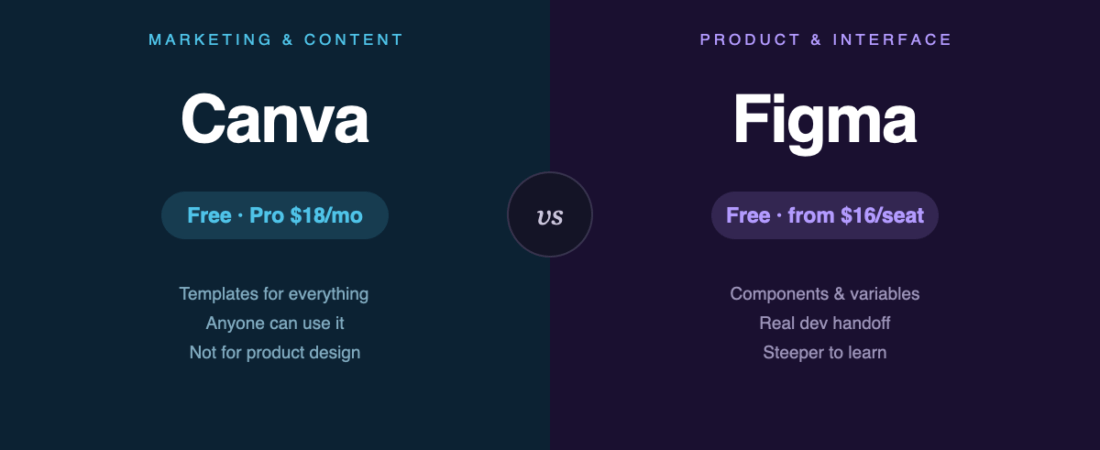
People ask which is better. That’s the wrong question — they’re built for different jobs, and choosing wrong wastes months.
Short answer: Canva is for producing marketing and content assets quickly. Figma is for designing products and interfaces. Here’s how to tell which side of that line you’re on.
Pick in ten seconds
- Social posts, presentations, flyers, quick brand assets → Canva
- App screens, websites, design systems, anything a developer will build → Figma
- You’re not a designer and need something presentable today → Canva
- You’re building a design career → learn Figma; it’s what employers ask for
What they cost
| Canva | Figma | |
|---|---|---|
| Free tier | Permanent — 1.6M+ templates, 5 GB storage | Starter — unlimited drafts |
| Paid entry | Pro, $18/mo (or $12/mo billed annually) | Professional, $16 per full seat/mo |
| Team tier | Business, $25 per user/mo | Organization, $55 per full seat/mo |
| Cheaper seats | — | Dev $12, Collab $3 on Professional |
One detail that skews naive comparisons: Figma charges by role. A team where most people only comment and inspect pays far less than “everyone × $16” suggests. Canva’s Pro pricing is simpler but applies per user regardless of what they do.
Both free tiers are genuinely usable, not trials. Canva’s most common upgrade triggers are transparent-background and SVG export, background removal, and Magic Resize.
Where Canva wins
Anyone can use it. This is the whole product. A founder, a teacher, a marketer with no design training produces something decent in twenty minutes. Figma hands the same person a blank canvas and no idea what to do.
Templates that cover real formats. Correct dimensions for every social platform, printed materials, slides. Figma expects you to know your own dimensions.
It goes all the way to output. Print orders, social scheduling, video export. Figma stops at the design file.
Where Figma wins
Components and variables. Change a button once, it updates everywhere. This is what makes a design system possible, and Canva has no equivalent.
Developer handoff. Inspect gives real measurements, CSS values and exportable assets. Handing a developer a Canva file is not a workflow.
Prototyping. Clickable flows with real interaction states, for testing before anything gets built.
It’s the industry standard. Job listings ask for it. Contractors send .fig files. This alone decides it if design is your career.
The honest drawbacks
Canva: template-shaped output — work made from popular templates looks like everyone else’s. Weak precision control. And you’re building assets inside a platform you can’t self-host or fully export from.
Figma: a real learning curve, no meaningful offline mode, and per-seat costs that grow with team size. It’s also overkill for making one social post — genuinely the wrong tool for that job.
Plenty of people use both
This is more common than the comparison framing suggests: Figma for the product, Canva for the marketing around it. A design team ships the app in Figma while marketing produces campaign assets in Canva. Nobody is compromising — they’re using the right tool per job.
If neither fits, the alternatives are real. Penpot is a self-hostable open-source alternative to Figma — see Penpot vs Figma. For static graphics without the subscription, Inkscape and GIMP cost nothing. For sites specifically, Framer and Webflow design and publish in one step.
The bottom line
Canva makes non-designers productive. Figma makes designers precise. Neither replaces the other, and the free tiers are good enough that you can test both this afternoon at no cost.
The only genuinely wrong move is choosing Canva for product design work because it looked easier — you’ll rebuild it in Figma later, and the rebuild costs more than learning it would have.
Sources
- Canva pricing — official, checked August 2026
- Figma pricing — official, checked August 2026
- Directory listings: Canva · Figma
Banner produced in-house. Both tools change pricing periodically — check the vendor pages before committing a team budget.
122 ready-to-use AI prompts — organised by discipline and category, each copyable in one click, free and no sign-up needed. Browse the prompt library →