Disclosure: The Design Tools sells advertising, including the placements described near the end of this guide. Everything before that section is written to be useful whether or not you ever buy from us, and prices for other channels come from their own pages, checked on 12 September 2026.
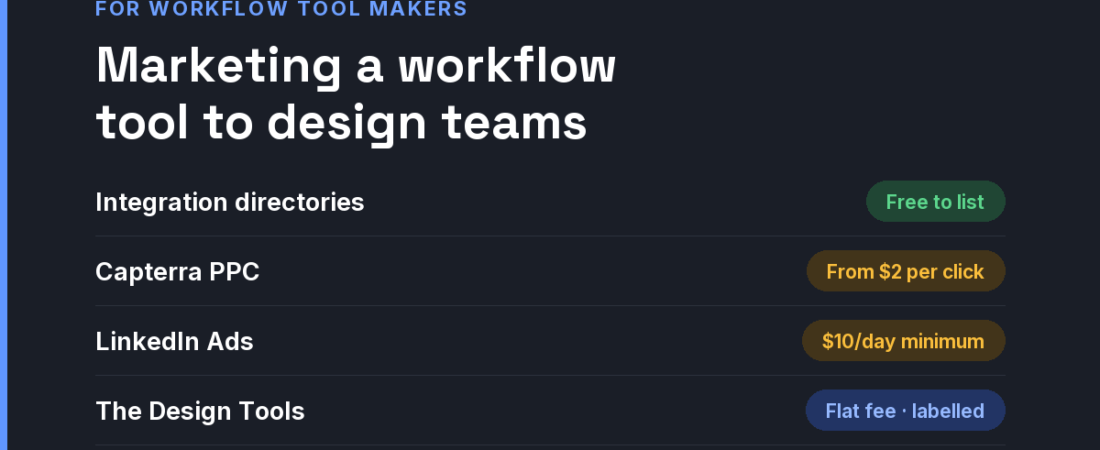
Short answer: Design teams are a small, demanding minority inside general work tools, so a collaboration or workflow tool wins them with a design-specific wedge: feedback pinned to visuals, versioning for large files, client approvals, handoff. Get into the integration directories of the tools designers already use, show up on software review sites at procurement (Capterra bids from $2 per click), target design leads on LinkedIn ($10 daily minimum), and place flat-fee sponsorships where design teams compare workflow tools.
Why design teams are a distinct market
- Their work is visual and heavy. Comments on a PDF export, versions of a 2 GB file and approvals on a moving prototype break tools built for text tasks. That gap is your wedge.
- Clients are inside the workflow. Studios need external reviewers who never create an account. Guest access pricing decides many purchases.
- Adoption is bottom-up, purchase is top-down. A designer brings the tool in; operations or finance renews it. Both need a reason.
- Per-seat pricing gets scrutinised. Teams with freelancers and part-time collaborators do the seat maths before a trial ends. Our design tool pricing index shows how openly competitors publish theirs.
The channels, compared
| Channel | What it costs | Audience intent | Best for |
|---|---|---|---|
| Integration directories (Figma, Slack and others) | Free to list once your integration is approved | Teams extending tools they already use | Tools that connect to the design stack |
| Capterra PPC | Bids start at $2 per click; project-management categories are competitive | Buyers at procurement | Team and business plans |
| LinkedIn Ads | $10 minimum daily budget; $100 minimum lifetime for new campaigns | Low intent, precise titles (design ops, creative director) | Selling multi-seat plans |
| Google Ads | All-industry average CPC $5.26 (WordStream, 2025) | High on problem queries (“design feedback tool”, “client approval software”) | A named design-specific job |
| Product Hunt launch | Free to use | Early adopters | Launch awareness |
| Niche design-tool sites (like ours) | Flat fees; ours start at $19 | Designers comparing workflow tools | Testing a design-specific message |
A general project tool advertising to designers competes with giants on their home ground. A tool that says “the review loop for creative teams, with guest approvals included” competes with almost nobody, and that sentence is also far cheaper to buy in search.
A 30-day plan for a small budget
- Week 1 — name the wedge. One design-specific job, stated in the headline, with a screen recording of it done in under a minute.
- Week 1 — publish guest and seat pricing. Show exactly what a team of five designers plus three client reviewers pays.
- Week 2 — ship one integration. The tool your audience lives in, listed in its directory.
- Week 3 — place where teams compare. A Cross-Discipline & Workflow discipline placement and a capped search test on the wedge phrase.
- Week 4 — give champions ammunition. A one-page summary a designer can forward to whoever approves the renewal.
Where The Design Tools fits — and where it does not
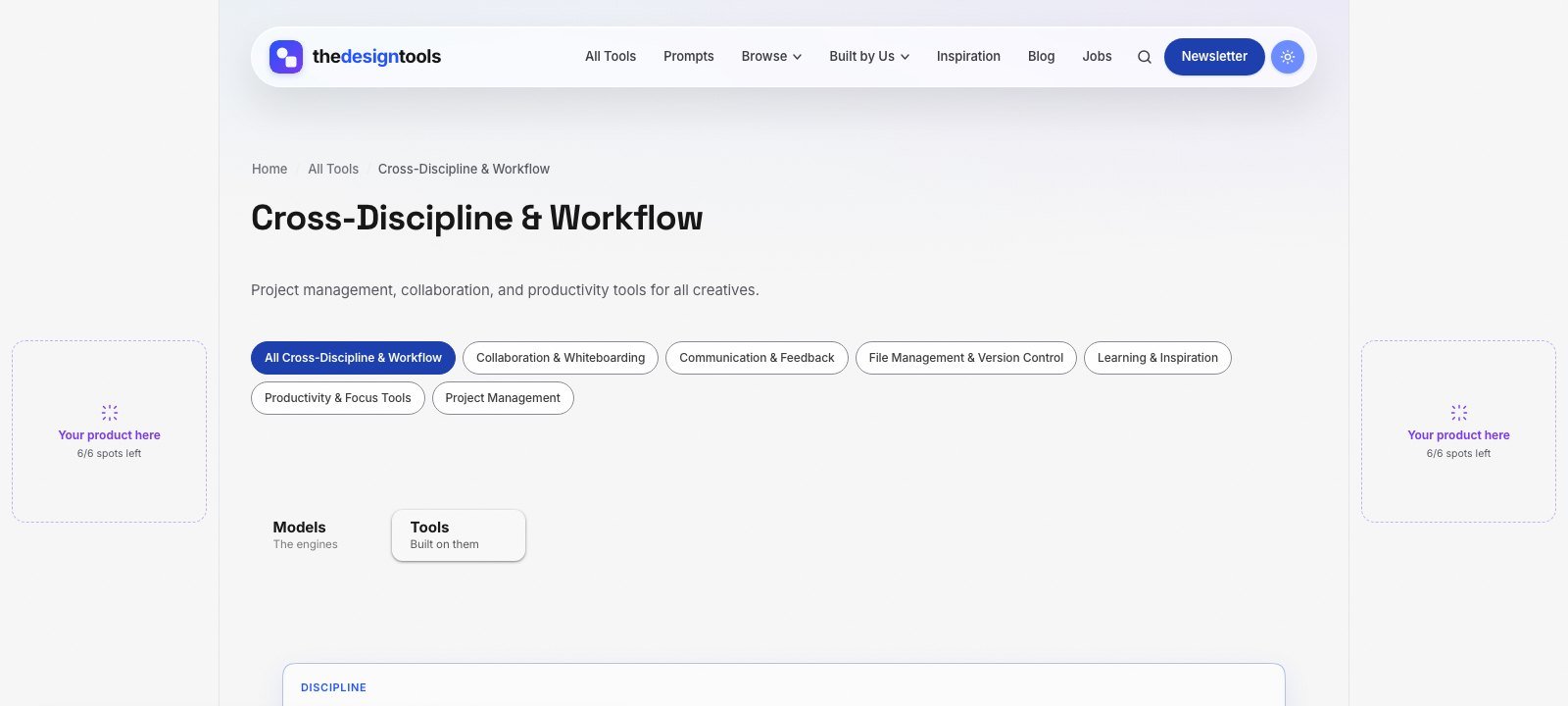
The Design Tools is an independent directory of design tools across nine disciplines. One of them is Cross-Discipline & Workflow — project management, collaboration, feedback and file-management tools for design teams — and every tool there is listed with its real drawbacks, not just its strengths. Designers and design leads arrive to choose a tool, which is the moment a placement is worth something.
What you can buy, as of September 2026:
- Discipline page sponsorship — a labelled placement on the Cross-Discipline & Workflow page, $29 per 4 weeks. The smallest audience on the site, and the most decided one.
- Blog article sponsorship — a relevant article featured on the blog for a month, $39.
- Sitewide sponsor slot — a card in the sponsor rail on every page. Live availability is below.
- Launch package — every placement together for one 4-week run, $199.
Where it does not fit: we are a young, independent site that launched in July 2026, so our audience is small. If your tool is general-purpose and sold to whole companies, review sites and LinkedIn reach buyers we do not. If your tool solves a design team’s specific problem, this is where design teams look. Ask us for the page’s recent traffic before you pay.
The rules we will not bend: every placement is labelled Sponsored and links with rel="sponsored". Paying never adds a listing, changes a ranking or removes a drawback from a review — listing is free and editorial. That is why a recommendation here is believed, and it is what a sponsor is paying to stand next to.
See every placement and send an inquiry → We reply within 24 hours.
Frequently asked questions
How do I market a project management tool to designers?
Lead with a design-specific job rather than general task management: visual feedback, large-file versioning, client approvals or handoff. Publish seat and guest pricing, integrate with the tools designers use, and appear where design teams compare workflow tools.
Are software review sites worth it for collaboration tools?
They matter most at procurement, when a manager compares options. Capterra bids start at $2 per click but collaboration categories are competitive, so cap spend and measure trials that become paid teams.
What pricing detail do design teams check first?
Per-seat cost, whether client reviewers and freelancers need paid seats, and file-storage limits. Hiding any of these tends to end a trial early.
What is the minimum I can spend to test advertising to design teams?
Very little. LinkedIn requires at least $10 a day, and a discipline page placement on The Design Tools cost $29 for 4 weeks as of September 2026 — enough to test a message before scaling.
Does sponsoring The Design Tools get my tool listed or ranked higher?
No. Listing is free and editorial, and sponsorship is labelled and kept separate from it. Paying never adds a listing, changes a ranking or removes a drawback from a review.
{“@context”: “https://schema.org”, “@type”: “FAQPage”, “mainEntity”: [{“@type”: “Question”, “name”: “How do I market a project management tool to designers?”, “acceptedAnswer”: {“@type”: “Answer”, “text”: “Lead with a design-specific job rather than general task management: visual feedback, large-file versioning, client approvals or handoff. Publish seat and guest pricing, integrate with the tools designers use, and appear where design teams compare workflow tools.”}}, {“@type”: “Question”, “name”: “Are software review sites worth it for collaboration tools?”, “acceptedAnswer”: {“@type”: “Answer”, “text”: “They matter most at procurement, when a manager compares options. Capterra bids start at $2 per click but collaboration categories are competitive, so cap spend and measure trials that become paid teams.”}}, {“@type”: “Question”, “name”: “What pricing detail do design teams check first?”, “acceptedAnswer”: {“@type”: “Answer”, “text”: “Per-seat cost, whether client reviewers and freelancers need paid seats, and file-storage limits. Hiding any of these tends to end a trial early.”}}, {“@type”: “Question”, “name”: “What is the minimum I can spend to test advertising to design teams?”, “acceptedAnswer”: {“@type”: “Answer”, “text”: “Very little. LinkedIn requires at least $10 a day, and a discipline page placement on The Design Tools cost $29 for 4 weeks as of September 2026 — enough to test a message before scaling.”}}, {“@type”: “Question”, “name”: “Does sponsoring The Design Tools get my tool listed or ranked higher?”, “acceptedAnswer”: {“@type”: “Answer”, “text”: “No. Listing is free and editorial, and sponsorship is labelled and kept separate from it. Paying never adds a listing, changes a ranking or removes a drawback from a review.”}}]}
Sources and when we checked them
All prices and terms were checked on 12 September 2026. Platforms change their pricing often — confirm on the linked page before you budget.
- Capterra — What is PPC? A guide to B2B software pay-per-click — bids start at $2 per click
- LinkedIn Marketing Solutions — Making the most of your budget — $10 minimum daily budget, $100 minimum lifetime budget for new campaigns
- WordStream — Google Ads Benchmarks 2025 — all-industry average CPC $5.26
- Product Hunt — Launch guide — “Is Product Hunt free? Yes.”
122 ready-to-use AI prompts — organised by discipline and category, each copyable in one click, free and no sign-up needed. Browse the prompt library →