Disclosure: The Design Tools sells advertising, including the placements described near the end of this guide. Everything before that section is written to be useful whether or not you ever buy from us, and prices for other channels come from their own pages, checked on 12 September 2026.
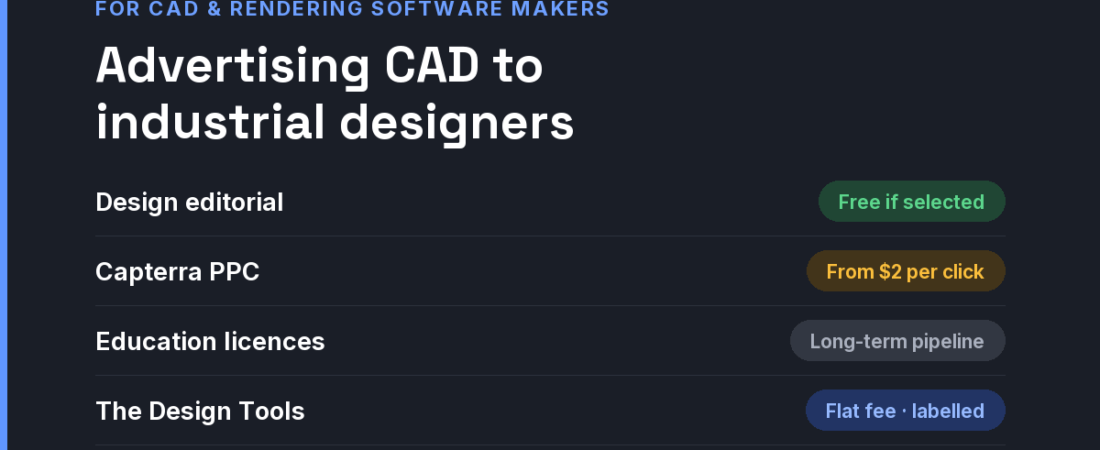
Short answer: CAD, rendering and CMF software serves two buyers: industrial designers who care about form, surfaces and visualisation, and engineers who care about precision and manufacturability. Reach designers through the products made with your tool (design editorial features are free if selected) and tutorials; reach engineering buyers through software review sites (Capterra bids from $2 per click) and LinkedIn; build the long-term pipeline with education licences; and place flat-fee sponsorships where product designers compare tools.
Two buyers, one product
- Industrial designers judge surfacing, rendering quality and how quickly an idea becomes a convincing image. They are persuaded by beautiful finished products.
- Engineers judge parametric control, tolerances, STEP and native-format exchange, and whether the model survives handoff to manufacturing. They are persuaded by reliability.
- Both hit the same objections: hardware requirements (especially GPU rendering), file compatibility with suppliers, and licence cost per seat. A trial that needs a heavy download and a powerful workstation loses people before the first model.
- Students are the pipeline. The CAD package someone learns at university is often the one they ask their first employer for.
The channels, compared
| Channel | What it costs | Audience intent | Best for |
|---|---|---|---|
| Design editorial (Yanko Design, Core77) | Editorial features are free if selected; advertising has no public rate card | Inspiration; high reach among designers | Showing products made with your tool |
| Capterra PPC (CAD categories) | Bids start at $2 per click | Business buyers comparing software | Engineering-focused CAD and PLM |
| LinkedIn Ads | $10 minimum daily budget; $100 minimum lifetime for new campaigns | Low intent, precise titles | Team and enterprise seats |
| Education licences and student programmes | The cost of free or discounted seats | Future professionals | Long-term pipeline |
| YouTube tutorial creators | Negotiated; no public rate cards | Learning intent | Tools with a steep learning curve |
| Google Ads | All-industry average CPC $5.26 (WordStream, 2025) | High on workflow queries (“keyshot alternative”, “cmf software”) | Tools with a clear category |
| Niche design-tool sites (like ours) | Flat fees; ours start at $19 | Product designers comparing tools | Specialist and challenger tools |
The editorial row deserves a closer look. Design outlets feature products, not software. Your pitch is not “our renderer is fast”; it is “this award-winning lamp was designed and visualised in our tool, and here is the designer”. Help your best customers get their products published and your name travels with the work.
A 30-day plan for a small budget
- Week 1 — publish system requirements honestly. Minimum and recommended hardware, and what runs in the browser or cloud if anything does.
- Week 1 — collect three customer products. Real, manufactured or award-listed work, with permission to show how it was made.
- Week 2 — pitch those stories. Send the designers’ projects, not your press release, to design editorial.
- Week 3 — place where designers compare. A Physical Product Design discipline placement and a capped Capterra test for the engineering side, tracked separately.
- Week 4 — open an education programme. Free student licences with a simple verification step.
If CMF documentation is part of your users’ workflow, our free CMF spec sheet generator is used by exactly this audience — another reason the discipline page reaches the right people.
Where The Design Tools fits — and where it does not
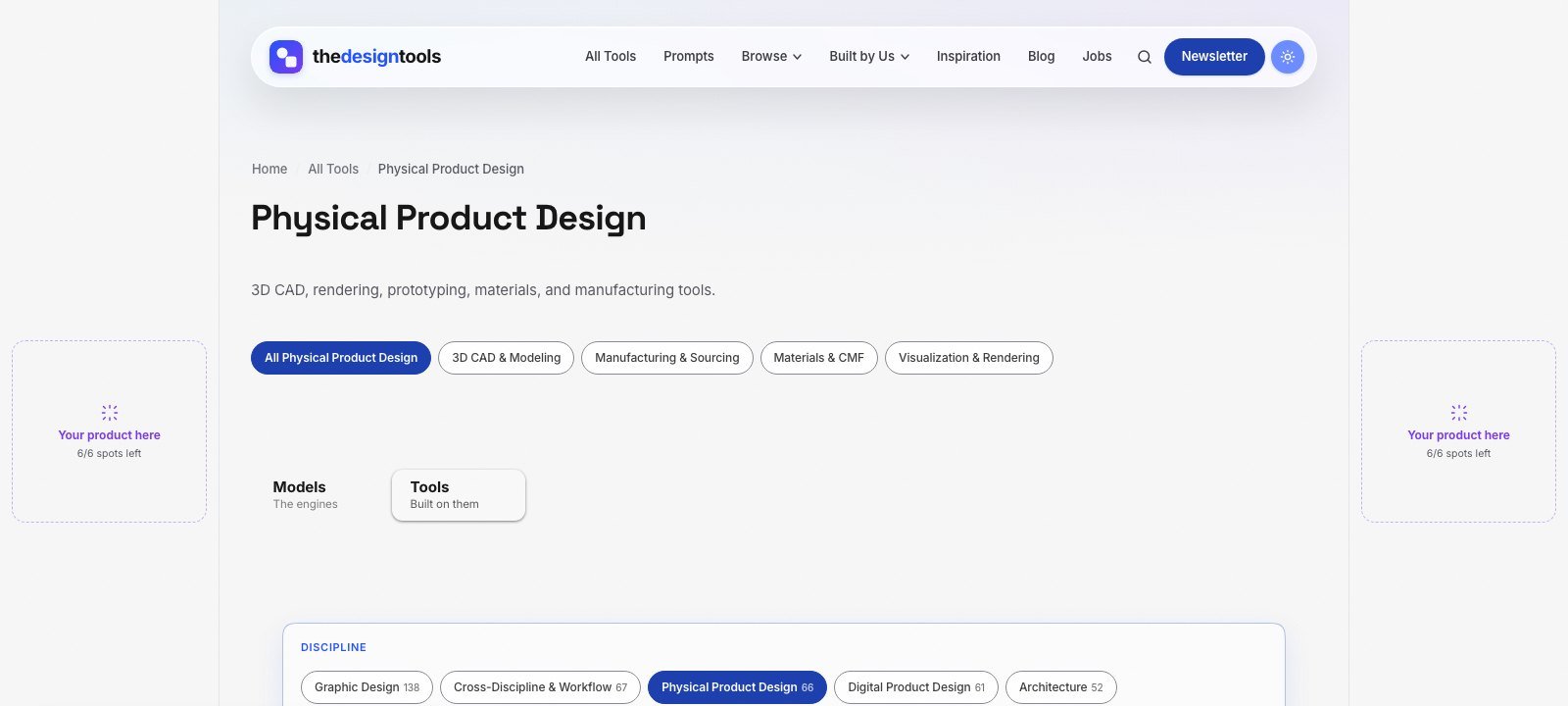
The Design Tools is an independent directory of design tools across nine disciplines. One of them is Physical Product Design — 3D CAD, rendering, materials and CMF, and manufacturing tools — and every tool there is listed with its real drawbacks, not just its strengths. Industrial designers and product engineers arrive to choose a tool, which is the moment a placement is worth something.
What you can buy, as of September 2026:
- Discipline page sponsorship — a labelled placement on the Physical Product Design page, $29 per 4 weeks. The smallest audience on the site, and the most decided one.
- Blog article sponsorship — a relevant article featured on the blog for a month, $39.
- Sitewide sponsor slot — a card in the sponsor rail on every page. Live availability is below.
- Launch package — every placement together for one 4-week run, $199.
Where it does not fit: we are a young, independent site that launched in July 2026, so our audience is small. If you need large engineering-procurement pipelines, review sites and trade shows are the heavier tools. If you want product designers who are actively comparing software to see yours, that is this page. Ask us for the page’s recent traffic before you pay.
The rules we will not bend: every placement is labelled Sponsored and links with rel="sponsored". Paying never adds a listing, changes a ranking or removes a drawback from a review — listing is free and editorial. That is why a recommendation here is believed, and it is what a sponsor is paying to stand next to.
See every placement and send an inquiry → We reply within 24 hours.
Frequently asked questions
How do I get my product design software featured on Yanko Design or Core77?
Pitch the products made with it rather than the software. Design editorial features finished work, so help your best customers submit strong projects and credit the tool used.
Is Capterra worth it for CAD software?
For engineering-focused CAD bought by businesses, it can be, because visitors are comparing software. Bids start at $2 per click; cap the budget and measure trials that convert to paid seats.
Should CAD companies give free licences to students?
Usually, yes. The software people learn on is often what they request in their first job, which makes education licences one of the lowest-cost long-term acquisition channels.
What is the best way to advertise rendering software to industrial designers?
Show finished images from real products, publish honest hardware requirements, and appear where designers compare rendering tools. Designers are persuaded by output, not speed claims.
Does sponsoring The Design Tools get my tool listed or ranked higher?
No. Listing is free and editorial, and sponsorship is labelled and kept separate from it. Paying never adds a listing, changes a ranking or removes a drawback from a review.
{“@context”: “https://schema.org”, “@type”: “FAQPage”, “mainEntity”: [{“@type”: “Question”, “name”: “How do I get my product design software featured on Yanko Design or Core77?”, “acceptedAnswer”: {“@type”: “Answer”, “text”: “Pitch the products made with it rather than the software. Design editorial features finished work, so help your best customers submit strong projects and credit the tool used.”}}, {“@type”: “Question”, “name”: “Is Capterra worth it for CAD software?”, “acceptedAnswer”: {“@type”: “Answer”, “text”: “For engineering-focused CAD bought by businesses, it can be, because visitors are comparing software. Bids start at $2 per click; cap the budget and measure trials that convert to paid seats.”}}, {“@type”: “Question”, “name”: “Should CAD companies give free licences to students?”, “acceptedAnswer”: {“@type”: “Answer”, “text”: “Usually, yes. The software people learn on is often what they request in their first job, which makes education licences one of the lowest-cost long-term acquisition channels.”}}, {“@type”: “Question”, “name”: “What is the best way to advertise rendering software to industrial designers?”, “acceptedAnswer”: {“@type”: “Answer”, “text”: “Show finished images from real products, publish honest hardware requirements, and appear where designers compare rendering tools. Designers are persuaded by output, not speed claims.”}}, {“@type”: “Question”, “name”: “Does sponsoring The Design Tools get my tool listed or ranked higher?”, “acceptedAnswer”: {“@type”: “Answer”, “text”: “No. Listing is free and editorial, and sponsorship is labelled and kept separate from it. Paying never adds a listing, changes a ranking or removes a drawback from a review.”}}]}
Sources and when we checked them
All prices and terms were checked on 12 September 2026. Platforms change their pricing often — confirm on the linked page before you budget.
- Yanko Design — Advertise — no public rate card
- Capterra — What is PPC? A guide to B2B software pay-per-click — bids start at $2 per click
- LinkedIn Marketing Solutions — Making the most of your budget — $10 minimum daily budget, $100 minimum lifetime budget for new campaigns
- WordStream — Google Ads Benchmarks 2025 — all-industry average CPC $5.26
122 ready-to-use AI prompts — organised by discipline and category, each copyable in one click, free and no sign-up needed. Browse the prompt library →