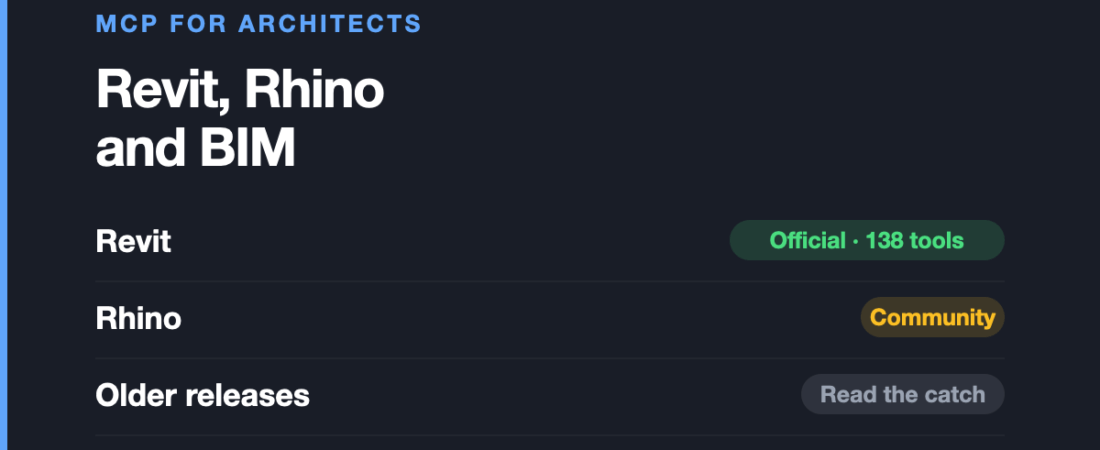
The biggest official release in this entire category landed in architecture, and design media barely noticed.
Autodesk shipped a first-party, supported MCP server for Revit. Not a community wrapper, not a beta buried in a preview build — an official product with 138 tools. For a discipline usually served last by new tooling, that is a genuine reversal.
This is the final article in our series on MCP servers, discipline by discipline.
Revit: the official server, and the version catch
The Revit Public MCP Server is Autodesk’s official, supported connector, announced in June 2026. It gives an assistant a structured way to read and understand your models, and MCP-compatible tools can read, create, modify and delete elements in real time.
It exposes 138 tools spanning project information, model analysis, element creation, batch operations and data export.
The catch is the version. It is for Revit 2027. If you are on 2024 or 2025 — as a great many practices are, because BIM upgrade cycles are tied to project delivery rather than release dates — the official server is not available to you.
Where it falls short: beyond the version requirement, 138 tools is far more than any assistant can hold in working memory at once. The tool ceiling applies with unusual force here: models begin mis-selecting past roughly 50 visible tools, so a 138-tool server is not a bonus, it is something to scope down. And read operations are much safer than write operations in a BIM model where elements carry downstream data — deleting an element is not a local action.
If you are not on Revit 2027
Community implementations cover the older releases. One publishes 80+ automation tools with support for Revit 2023 to 2026, which is precisely the gap the official server leaves.
The usual community caveats apply — no vendor support, and an Autodesk update can break it — but for practices that cannot upgrade mid-project, this is the realistic option rather than a compromise.
ArchiCAD and open BIM
Graphisoft has not shipped an official server. What exists for ArchiCAD is emerging prototypes rather than anything production-ready, so if ArchiCAD is your primary tool, this category is not yet meaningfully available to you.
The more interesting activity is in open BIM. Implementations exist across IfcOpenShell, Bonsai and WebIFC/Fragments, working on IFC data directly rather than through a proprietary application.
That approach is worth understanding even if you do not use those tools, because it sidesteps the version problem entirely. A connector that reads IFC is not tied to anyone’s release cycle.
There is also published research proposing a modular reference architecture for BIM MCP servers, in which a sandboxed BIM Execution Service exposes HTTP endpoints and the MCP server delegates all model operations to it through a strict adapter contract — letting Revit, ArchiCAD and IfcOpenShell sit behind one interface. That is a notably more careful design than most connectors in this series, which execute generated code directly inside the host application.
Rhino and Grasshopper, again
Plenty of architectural work happens in Rhino and Grasshopper rather than in BIM, and that is covered in depth in the industrial design article — the connectors are the same.
The short version for architects: several community RhinoMCP implementations exist, one listed on Food4Rhino, and the Grasshopper bridge is the most convincing use of this technology anywhere in design. Describing a parametric relationship and getting a wired definition back is a real change in how facade studies and massing work feel.
What this is good for in practice
- Model interrogation. Asking questions of a model — what types are used where, which elements lack a parameter, what changed. Reading is low-risk and where the immediate value sits.
- Schedules and data export. Structured, tedious, verifiable. The best possible fit.
- Batch operations. Real time saved, and real risk. Check on a detached copy first.
- Parametric exploration. Grasshopper, as above.
And where it is not:
- Design judgement. Unchanged, and unlikely to change.
- Code compliance. An assistant that sounds authoritative about fire egress or accessibility requirements is a liability. Regulations are jurisdictional, they change, and being confidently wrong here has consequences beyond a rework.
- Coordination sign-off. Clash detection tools already do this deterministically. Do not replace a deterministic check with a probabilistic one.
Frequently asked questions
Is there an official Revit MCP server?
Yes. The Revit Public MCP Server is Autodesk’s official, supported connector, announced June 2026, exposing 138 tools for project info, model analysis, element creation, batch operations and data export. It requires Revit 2027.
What if I am on an older Revit?
Community servers cover Revit 2023 to 2026, one with 80+ tools. No vendor support, but it fills exactly the gap the official server leaves.
Is there an ArchiCAD MCP server?
Nothing official from Graphisoft, and only emerging prototypes otherwise. Open BIM connectors working on IFC directly are the more practical route today.
Is 138 tools better than 80?
No. Models start mis-selecting past roughly 50 visible tools, so a very large server is something to scope down rather than a feature.
Can I use this for code compliance checks?
No. Regulations are jurisdictional and change, and a confident wrong answer here carries real professional risk. Use it to find and report, never to certify.
Sources and when we checked them
All claims verified in August 2026.
- Autodesk — Introducing the Revit Public MCP Server
- LuDattilo/revit-mcp-server — 80+ tools, Revit 2023–2026
- A Modular Reference Architecture for MCP Servers Enabling Agentic BIM Interaction
- RhinoAI / GrasshopperAI / RhinoMCP on Food4Rhino
That closes this series. The overview article covers all nine disciplines and the question that runs through all of them: who actually built the thing you are about to install.
2014 ready-to-use AI prompts — organised by discipline and category, each copyable in one click, free and no sign-up needed. Browse the prompt library →