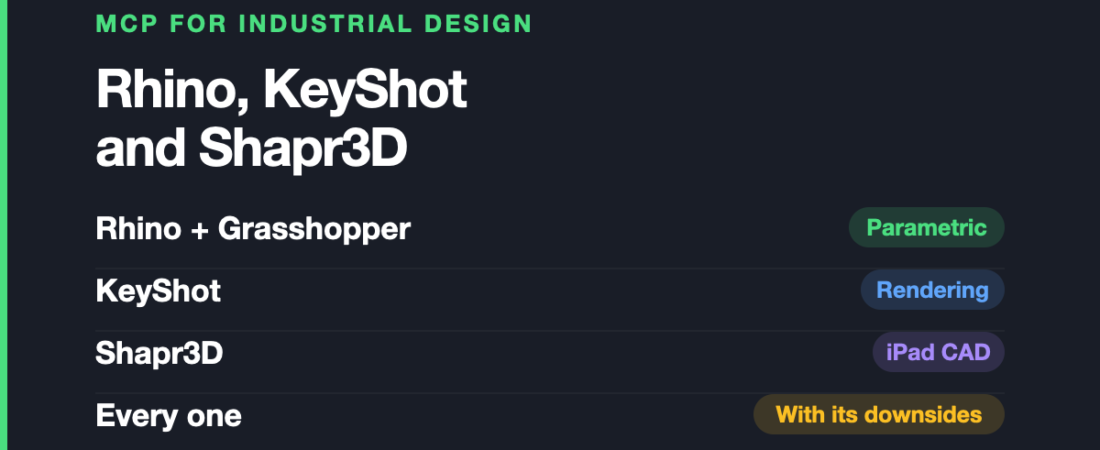
Every roundup of AI connectors for designers is written for people who make screens. Figma this, Mobbin that. If your work ends as a physical object — a housing, a handle, a surface someone will actually hold — almost none of it applies to you.
Key takeaways
- Community MCP servers connect Rhino and Grasshopper to geometry creation, document inspection, layer management and code execution.
- Grasshopper is the strongest industrial design use case because assistants can translate descriptions into working parametric definitions.
- KeyShot MCP automates rendering, scene inspection, materials, cameras and model imports, but not art direction or lighting judgement.
- Shapr3D MCP generates build123d geometry and exports STEP files, rather than controlling an existing Shapr3D model.
- AI-assisted CAD is best for early exploration and repetitive setup, not tolerancing, manufacturing documentation or supplier packages.
- Most servers execute code inside design applications, so version files, review repositories and protect confidential client work.
This is the second article in our series on MCP servers, discipline by discipline. This one is only about industrial design: what genuinely exists, what it does badly, and where it fits in a real product development process rather than a demo video.
The short version: the parametric side is further along than you would expect, the rendering side works, and anything claiming to “control” a direct modeller deserves a closer look before you believe it.
A note on what “official” means here
None of the tools below ship a vendor-built MCP server. Every one is a community project.
That is not a reason to avoid them, but it does change how you should treat them. There is no support channel, no compatibility guarantee when the host application updates, and no one obliged to fix anything. Check when the repository was last touched before you build a process around it — a project untouched for eight months is a warning, not a detail.
This matters more in CAD than in UI design, because CAD applications break plugin APIs between major versions more often than design tools do.
Rhino and Grasshopper: the strongest case in industrial design
Rhinoceros 3D is where this gets genuinely interesting, and it is barely covered anywhere.
Several RhinoMCP implementations exist. One is listed on Food4Rhino, the official Rhino plugin marketplace — which is a meaningful signal about quality even though the plugin itself is community-made. Between them they offer geometry creation, layer management, document inspection and code execution, with one project advertising more than thirty tools.
In practice, an assistant connected to Rhino can read what is already in your document and then act on it: build geometry, reorganise layers, or run RhinoCommon C# against the model.
Where it falls short: the more capable implementations work by generating and executing C# inside your live session. That is exactly as powerful and exactly as risky as it sounds. There is also no canonical implementation, so you are picking between several similar projects with different levels of maintenance.
Grasshopper is the part that actually changes your day
Grasshopper is where the real gain is, and it is worth understanding why.
Parametric definitions are tedious in a very specific way: you know exactly what relationship you want, and expressing it means finding the right components and wiring them correctly. That translation step is pure friction, and it is the thing language models are unusually good at removing.
The Grasshopper MCP Bridge runs as two pieces: a Grasshopper plugin written in C# that exposes a TCP interface, and a Python bridge that translates between the assistant and Grasshopper’s command interface. It carries a component knowledge base so the assistant understands what components exist and how their inputs and outputs legitimately connect, plus intent recognition intended to turn a short description into a working component pattern.
Describing a louvre array or an attractor-driven panel layout in a sentence, and getting a wired definition back, is a genuine change in how that work feels.
Where it falls short: two moving parts means two things that can break, and the C# plugin is version-sensitive. Generated definitions also tend to be correct rather than elegant — they work, but they are often not how an experienced Grasshopper user would have built them, which matters when someone else has to maintain the file. Treat the output as a first draft to refactor, not a finished definition.
KeyShot: rendering, which is half the job
Industrial design does not end at the model. It ends at an image someone signs off on, and KeyShot is where a lot of that happens.
A KeyShot MCP server exists and does the useful things: rendering images, inspecting the cameras and parts in a scene, applying materials to parts programmatically, and importing model files including OBJ, FBX and STEP. It requires KeyShot 11 or newer.
The strongest use is not “make me a render.” It is the repetitive work around it — applying the same material across many parts, setting up a consistent camera for a family of products, or batching variants.
Where it falls short: material and lighting judgement is the actual skill in rendering, and that is not something an assistant supplies. It removes the clicking, not the art direction. The KeyShot 11 requirement also rules out older installations, which are common in studios that bought a perpetual licence years ago.
Shapr3D: read the mechanism before you believe the label
There is a Shapr3D MCP server, and it is a good example of why the mechanism matters more than the name.
It does not drive Shapr3D. It builds geometry programmatically using build123d on the OpenCascade kernel, exports a STEP file, and Shapr3D imports that as editable solid bodies.
That is genuinely useful — you get a parametrically generated part you can then push and pull directly. But it is a code-to-STEP pipeline with Shapr3D at the end, not an assistant operating your modeller. If you expected to describe a change to a model you already have open and watch it happen, this is not that.
Where it falls short: it is one-way. Your existing Shapr3D model is not visible to the assistant, so it cannot read, modify or reason about work in progress. Round-tripping is manual.
Blender and SketchUp: the neighbours
Blender MCP is the connector most people have seen, and for industrial design its place is concept and visualisation rather than engineering. It creates and modifies objects from plain-English prompts, handles materials, lighting and cameras, and can pull assets from Poly Haven. It is a community plugin, not a Blender Foundation product, despite frequently being described as official.
Where it falls short: Blender is a mesh modeller. It has no concept of engineering tolerances, and nothing you build in it is manufacturing data. It complements your CAD, it does not replace it.
A SketchUp MCP server also exists, which is worth knowing if your concept work starts there.
Where this actually fits in an industrial design process
Being blunt about the shape of the gain:
- Early concept and parametric exploration: the strongest fit by far. Grasshopper definitions, pattern studies, variant generation. The work is structured, the intent is easy to describe, and being wrong is cheap.
- Repetitive scene and material setup: a real time saving in KeyShot, low risk, easily checked.
- Detailed engineering and tolerancing: not yet. Nothing here understands fits, draft angles or manufacturing constraints, and confident-sounding output is more dangerous in this part of the process than anywhere else.
- Manufacturing documentation: no. Drawings, GD&T and supplier packages are unaffected by all of this.
There is a fair criticism doing the rounds that AI in CAD makes modelling faster without touching the real bottleneck, which in most product development is decision-making and review rather than the modelling itself. That criticism holds here. If your projects are slow because approvals are slow, none of this will help.
Before you connect anything
Most of these servers work by executing code inside your application — Python in Blender, C# in Rhino. That is how they do anything useful, and it is also the risk.
- Version your files before you connect. An assistant that can create geometry can delete it. Undo is not a backup.
- Think about client work. Industrial design runs on NDAs and unreleased products. Check whether a given server sends anything off your machine, and do not assume.
- Read the repository first. You are installing a stranger’s code that will run inside the application holding your work. Check the commit history and the issue tracker.
Frequently asked questions
Is there an official Rhino MCP server?
No. McNeel has not shipped one. Several community implementations exist and one is listed on Food4Rhino, the official plugin marketplace, but the plugins themselves are community-made.
Can an AI assistant build a Grasshopper definition from a description?
Yes, and this is the most convincing use case in industrial design right now. The Grasshopper MCP Bridge uses a component knowledge base and intent recognition to create and connect components from a plain description. Expect a working first draft that benefits from being tidied up rather than a definition you would have written yourself.
Does the Shapr3D MCP server let Claude control Shapr3D?
Not directly. It generates geometry with build123d on the OpenCascade kernel and exports STEP, which Shapr3D then imports as editable solids. Useful, but it cannot see or modify a model you already have open.
What about Gravity Sketch, Womp or Solid Edge?
No meaningful MCP support at the time of writing. If your workflow centres on Gravity Sketch or Womp, this whole category is not yet relevant to you, and it is better to hear that than to lose an afternoon confirming it.
Should I use this for production parts?
For generating and exploring geometry, yes, with review. For anything that becomes manufacturing data, treat every output as a draft requiring the same checks you would apply to a junior’s model — because that is roughly the level of judgement involved.
Sources and when we checked them
All claims verified in August 2026. This category moves quickly and community projects change status without notice.
- RhinoAI / GrasshopperAI / RhinoMCP on Food4Rhino
- jingcheng-chen/rhinomcp — one of several Rhino implementations
- Grasshopper MCP Bridge
- KeyShot MCP server
- Alfredoalv13/shapr3d-mcp — the build123d and STEP pipeline described above
- ahujasid/blender-mcp — the community Blender plugin
- Autodesk Fusion MCP: Faster CAD, Same Bottleneck — the criticism referenced above
Next in this series: MCP for mechanical engineers, covering Onshape, FreeCAD and Fusion 360, and the licence restrictions that catch people out. In the meantime, the SolidWorks alternatives guide covers the same tools from a different angle.
MCP is worth exploring if your industrial design work involves Grasshopper studies, early geometry or repetitive KeyShot setup. Skip it for manufacturing documentation, tolerancing or any workflow where an unreviewed generated model could become production data.
Keep reading
Frequently asked questions
What is the best MCP use case for industrial designers?
Grasshopper is the most convincing use case because an assistant can turn a description into a working parametric definition. Generated definitions are usually first drafts that need tidying and refactoring.
Can MCP servers control Rhino and Grasshopper?
Several community RhinoMCP implementations can create geometry, manage layers, inspect documents and execute code. Grasshopper MCP uses a C# plugin and Python bridge to translate assistant requests into component patterns.
Does Shapr3D MCP control an existing model?
No. It generates geometry with build123d on the OpenCascade kernel, exports a STEP file, and lets Shapr3D import editable solid bodies. The assistant cannot see or modify a model already open in Shapr3D.
Should industrial designers use MCP for production parts?
Use it for generating and exploring geometry with review, but treat manufacturing data as a draft. The post specifically advises against relying on these tools for detailed engineering, tolerancing and manufacturing documentation.
122 ready-to-use AI prompts — organised by discipline and category, each copyable in one click, free and no sign-up needed. Browse the prompt library →