Disclosure: The Design Tools sells advertising, including the placements described near the end of this guide. Everything before that section is written to be useful whether or not you ever buy from us, and prices for other channels come from their own pages, checked on 12 September 2026.
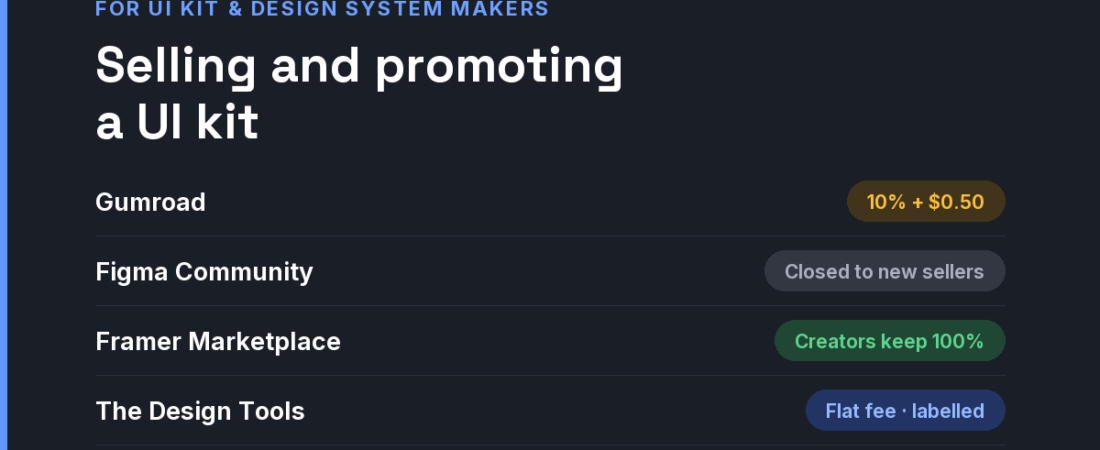
Short answer: UI kits sell on the preview and on how well they are built. Where you sell mostly decides your margin: Gumroad takes 10% + $0.50 on direct sales and 30% through its Discover marketplace; the Figma Community takes 15% but is not approving new sellers; Webflow and Framer marketplaces pay creators 95% and 100% of template sales. Promotion then means a free lite version, a launch, and placements where designers compare kits and design-system tools.
What buyers check before paying for a kit
Designers who buy UI kits are experts at spotting a kit that only looks good in the thumbnail. The questions they ask decide the sale, so answer them on the product page:
- Is it built properly? Variables and tokens, auto layout, component properties, light and dark modes — and whether changing one token actually cascades.
- Does it match code? A kit with a matching React, Vue or Tailwind implementation is a different, more valuable product than a drawing.
- What does the licence allow? Client work, unlimited projects, team seats, resale of derived templates. Vague licences stall team purchases.
- Is it maintained? A visible changelog with recent dates matters more than the number of screens.
Design-system tools — token managers, documentation platforms, component auditors — face the same buyer with a longer decision: a team lead, a front-end lead and often a budget owner. The honest comparison page matters even more there.
Where to sell, compared
| Channel | Fee or cost | Audience intent | Best for |
|---|---|---|---|
| Gumroad | 10% + $0.50 per direct sale; 30% on sales through Discover | Buyers you send, plus marketplace browsers | Independent kits with their own audience |
| Figma Community | 15% on paid resources — but Figma is not approving new sellers. Free files remain a distribution channel | Designers already in Figma | Free lite versions that lead to your paid kit |
| Webflow Marketplace | Creators earn 95% of template sales (since October 2025) | Webflow users starting projects | Kits and templates built natively in Webflow |
| Framer Marketplace | Creators keep 100% of paid template revenue | Framer users starting projects | Kits and templates built natively in Framer |
| Product Hunt launch | Free to use | Makers and early adopters | Launch awareness for a kit or tool |
| Niche design-tool sites (like ours) | Flat fees; ours start at $19 | Designers comparing kits and design-system tooling | Reaching buyers at the decision stage |
A 30-day plan for a small budget
- Week 1 — record the proof. A short screen recording of one token change rippling through every component sells a kit better than forty static screens.
- Week 1 — publish a free lite version. A handful of real components, built exactly like the paid kit, with a link to the full version.
- Week 2 — write the licence in plain words. One paragraph a team lead can forward to whoever approves the purchase.
- Week 3 — launch and place. Product Hunt plus one discipline placement on a design-systems audience, tracked with separate UTMs.
- Week 4 — ship an update and announce it. A changelog entry is the best proof of maintenance and a reason to post again.
Where The Design Tools fits — and where it does not
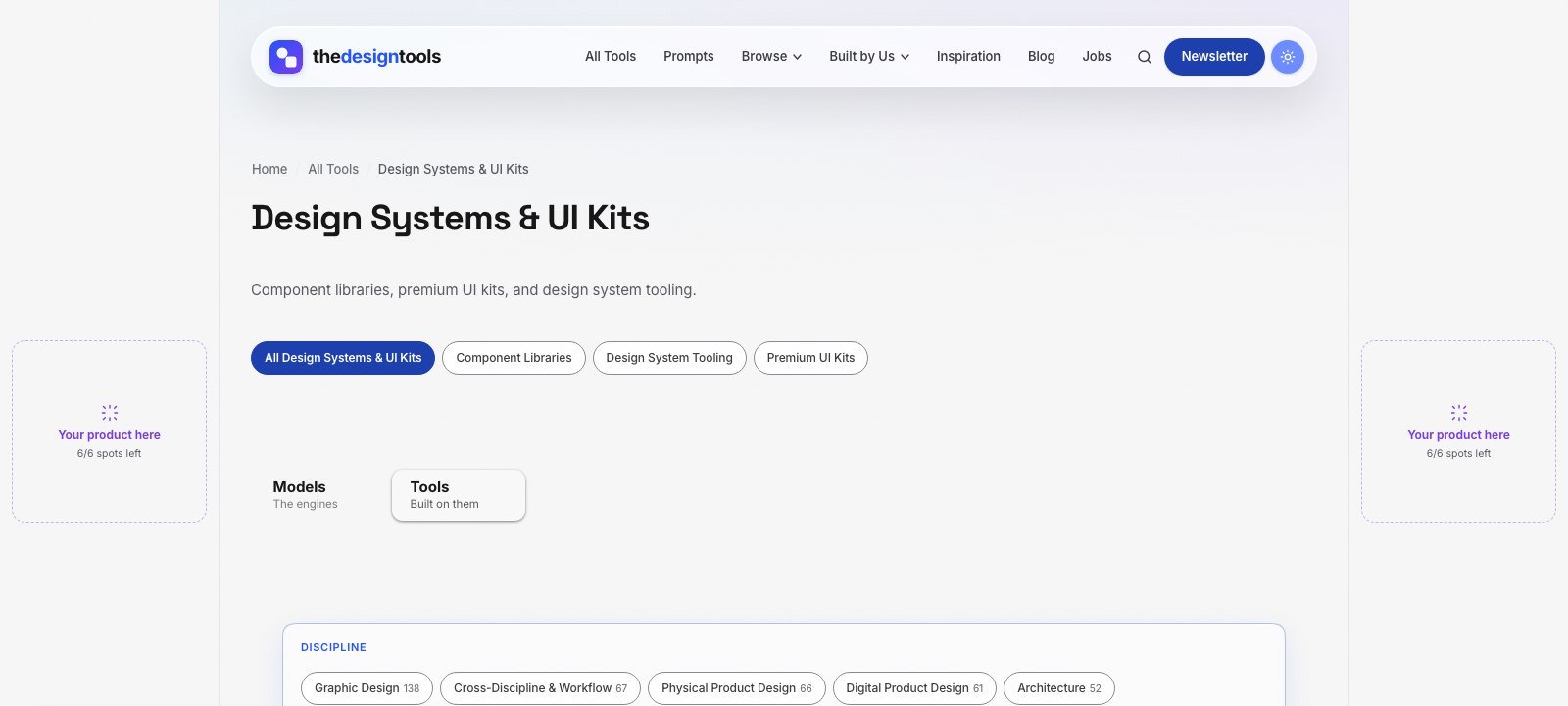
The Design Tools is an independent directory of design tools across nine disciplines. One of them is Design Systems & UI Kits — component libraries, premium UI kits and design-system tooling — and every tool we review there is listed with its real drawbacks, not just its strengths. Product designers and design-system leads arrive to choose a tool, which is the moment a placement is worth something.
What you can buy, as of September 2026:
- Discipline page sponsorship — a labelled placement on the Design Systems & UI Kits page, $29 per 4 weeks. The smallest audience on the site, and the most decided one.
- Blog article sponsorship — a relevant article featured on the blog for a month, $39.
- Sitewide sponsor slot — a card in the sponsor rail on every page. Live availability is below.
- Launch package — every placement together for one 4-week run, $199.
Where it does not fit: we are a young, independent site that launched in July 2026, so our audience is small. If you want marketplace browsing traffic, Gumroad Discover or the Framer and Webflow marketplaces put you where buyers already shop. If you want designers who are specifically choosing a kit or design-system tool, that is this page. Ask us for the page’s recent traffic before you pay.
The rules we will not bend: every placement is labelled Sponsored and links with rel="sponsored". Sponsoring never changes a ranking or removes a drawback from a review (the only paid way into the directory is a $29 Maker Verified listing, and those pages are marked as paid) — listing is free and editorial. That is why a recommendation here is believed, and it is what a sponsor is paying to stand next to.
See every placement and send an inquiry → We reply within 24 hours.
Frequently asked questions
Where is the best place to sell a UI kit?
It depends on the tool the kit is built for. Kits built in Webflow or Framer belong on those marketplaces, which pay creators 95% and 100% of template sales. Figma kits usually sell through your own store or Gumroad, because the Figma Community is not approving new paid sellers.
How much does Gumroad take from a UI kit sale?
When we checked on 12 September 2026, Gumroad charged 10% + $0.50 on direct sales and 30% on sales made through its Discover marketplace.
Can I still sell a paid UI kit on the Figma Community?
Only if you were already approved as a seller. Figma’s help centre states it is not approving new creators to sell paid files, and existing sellers pay a flat 15% fee.
What makes a UI kit worth paying for?
Solid construction (variables, tokens, auto layout, component properties), a matching code implementation, a clear licence for client and team use, and visible, recent updates.
Does sponsoring The Design Tools get my tool listed or ranked higher?
No. Listing is free and editorial, and sponsorship is labelled and kept separate from it. Sponsoring never changes a ranking or removes a drawback from a review (the only paid way into the directory is a $29 Maker Verified listing, and those pages are marked as paid).
{“@context”: “https://schema.org”, “@type”: “FAQPage”, “mainEntity”: [{“@type”: “Question”, “name”: “Where is the best place to sell a UI kit?”, “acceptedAnswer”: {“@type”: “Answer”, “text”: “It depends on the tool the kit is built for. Kits built in Webflow or Framer belong on those marketplaces, which pay creators 95% and 100% of template sales. Figma kits usually sell through your own store or Gumroad, because the Figma Community is not approving new paid sellers.”}}, {“@type”: “Question”, “name”: “How much does Gumroad take from a UI kit sale?”, “acceptedAnswer”: {“@type”: “Answer”, “text”: “When we checked on 12 September 2026, Gumroad charged 10% + $0.50 on direct sales and 30% on sales made through its Discover marketplace.”}}, {“@type”: “Question”, “name”: “Can I still sell a paid UI kit on the Figma Community?”, “acceptedAnswer”: {“@type”: “Answer”, “text”: “Only if you were already approved as a seller. Figma’s help centre states it is not approving new creators to sell paid files, and existing sellers pay a flat 15% fee.”}}, {“@type”: “Question”, “name”: “What makes a UI kit worth paying for?”, “acceptedAnswer”: {“@type”: “Answer”, “text”: “Solid construction (variables, tokens, auto layout, component properties), a matching code implementation, a clear licence for client and team use, and visible, recent updates.”}}, {“@type”: “Question”, “name”: “Does sponsoring The Design Tools get my tool listed or ranked higher?”, “acceptedAnswer”: {“@type”: “Answer”, “text”: “No. Listing is free and editorial, and sponsorship is labelled and kept separate from it. Sponsoring never changes a ranking or removes a drawback from a review (the only paid way into the directory is a $29 Maker Verified listing, and those pages are marked as paid).”}}]}
Sources and when we checked them
All prices and terms were checked on 12 September 2026. Platforms change their pricing often — confirm on the linked page before you budget.
- Gumroad — Pricing — 10% + $0.50 direct, 30% via Discover
- Figma Help Center — About selling Community resources — 15% fee; not approving new sellers
- Webflow — Template Creator Program updates — 95% commission, launched 21 October 2025
- Framer Help — How the Creator Program works — creators keep 100% of paid template revenue
- Product Hunt — Launch guide — “Is Product Hunt free? Yes.”
122 ready-to-use AI prompts — organised by discipline and category, each copyable in one click, free and no sign-up needed. Browse the prompt library →