Which Blender version should you be on? This post covers one release. The Blender version and release-notes hub tracks every version, which one is LTS, and the checks to make before upgrading.
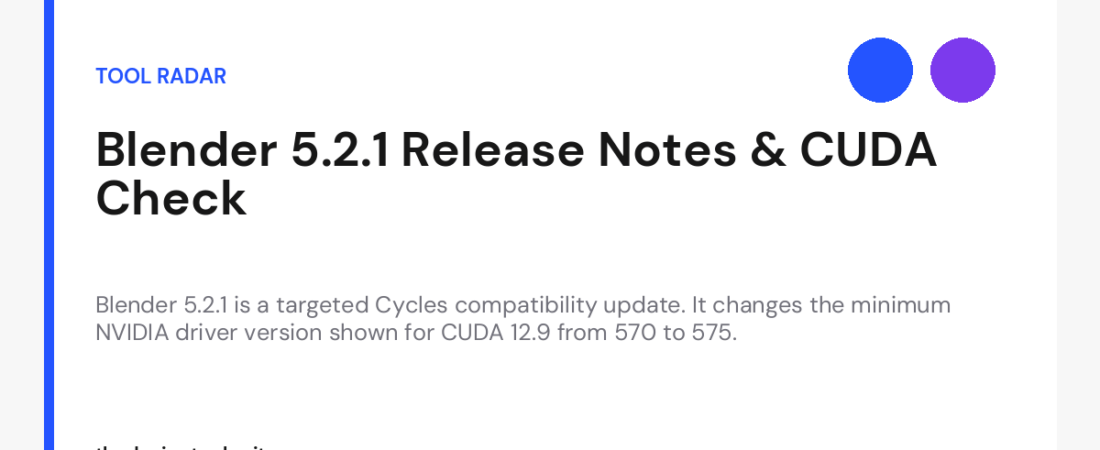
Blender 5.2.1 asks a simple question before you update: can your CUDA setup meet the new driver number? The release note records one clear change in Cycles. For the CUDA 12.9 upgrade, Blender now shows 575 instead of 570 as the minimum driver version.
That is the whole change. Blender’s release notes list no new modeling feature, material system, or broad workflow change. So treat this version as a focused compatibility update, not a reason to change every workstation at once.
Blender 5.2.1 is a targeted compatibility change
The Blender 5.2.1 release record identifies the change as a Cycles update connected to CUDA 12.9. It raises the minimum driver version shown in the user interface from 570 to 575. The same note says the earlier displayed version was outdated and incorrect.
That wording sets a useful limit. We can describe the version-number correction with confidence. We cannot use this release note alone to predict how every NVIDIA workstation, render setup, or project will behave after installation.
Verdict: test Blender 5.2.1 if you use Cycles with CUDA 12.9 or manage machines that do. If your team has a fixed driver image, review the driver plan before changing the application. If the update does not touch your workflow, waiting for a suitable test window is reasonable.
What the Blender 5.2.1 note actually confirms
The central detail is narrow but practical. Blender’s interface now displays 575 as the minimum driver version for the CUDA 12.9 upgrade, rather than 570. This gives users a clearer compatibility signal inside the application.
It does not tell us that every user must install a newer driver. It also does not document a new render feature, an output change, or a guaranteed failure mode for systems below that number. Those conclusions would require more evidence than the supplied release page provides.
That distinction matters for editorial advice. A corrected compatibility message can justify a controlled check. It does not justify claiming that the update will break every older setup or improve every Cycles project.
Who should give Blender 5.2.1 priority?
Start with the users closest to the stated change. That means people using Cycles and the CUDA 12.9 path, especially where driver versions are managed across several machines.
- Solo artists: check the installed NVIDIA driver before opening important work in the new version.
- Small teams: use one representative machine for a first test, rather than changing every workstation together.
- Technical artists: compare the displayed compatibility information with the driver version approved for your setup.
- Render administrators: review the application and driver combination before updating worker machines.
- Users on another compute path: read the release note, then decide whether this specific CUDA change applies to your work.
You can also find Blender in The Design Tools directory. Use the directory page to locate the tool, then consult the linked release record for the version-specific detail.
A conservative test plan
The following is rollout advice, not a claim about behavior documented in the release note. It is a sensible way to reduce surprises when a software version and a GPU driver requirement change near each other.
- Record the current Blender version and NVIDIA driver version on the machine you will test.
- Install Blender 5.2.1 on one representative system, not across the whole team.
- Open a current project that uses the same Cycles and CUDA path as your normal work.
- Check what driver requirement the application displays for the relevant setup.
- Run a short, repeatable test using a file you already know well.
- Compare the result with your existing installation before making a wider rollout decision.
Keep the comparison controlled. Use the same project, scene settings, and device choice where possible. The goal is not to prove that every Blender feature works. The goal is to learn whether this version fits your own production setup.
Where Blender 5.2.1 falls short
This is a small release note with a small confirmed scope. It gives you the corrected driver number, but it does not provide a full migration guide. It does not explain every consequence for older drivers, every NVIDIA card, or every studio deployment.
That limits the article’s verdict as well. We can recommend checking the CUDA environment. We cannot promise that installing Blender 5.2.1 will make rendering faster, fix a driver problem, or change the quality of your output.
There is a second limitation for teams. A driver requirement shown in an application can expose a mismatch between the software version you want and the driver version your organisation has approved. Resolving that mismatch may require a separate technical decision. The release page does not tell us what that decision should be.
For that reason, avoid treating the number 575 as a universal instruction to update immediately. Check your own driver policy, then test the application and driver together. That is slower than clicking install, but it produces a more useful answer.
How it relates to Blender 5.2
The earlier Blender 5.2.0 release is the main release in this version line. Blender 5.2.1 follows it with the documented Cycles driver-display correction for CUDA 12.9.
The difference between those two notes helps frame the update. A main release can invite a broad feature review. This maintenance release calls for a narrower compatibility check. Read the version number, but let the actual note determine the size of your test plan.
The practical takeaway
Check the driver number before you check the download button. If you use Cycles with CUDA 12.9, verify whether your setup meets the newly displayed minimum of 575. Test Blender 5.2.1 on one representative machine before changing a wider production environment.
If that path is not part of your work, there is no reason to rush this update. Keep your current setup until you have a clear test window or a separate reason to update.
The open question is not whether Blender 5.2.1 is large. It plainly isn’t. The useful question is whether its corrected compatibility message matches your own driver policy. Answer that first, and the update decision becomes much less dramatic.
122 ready-to-use AI prompts — organised by discipline and category, each copyable in one click, free and no sign-up needed. Browse the prompt library →