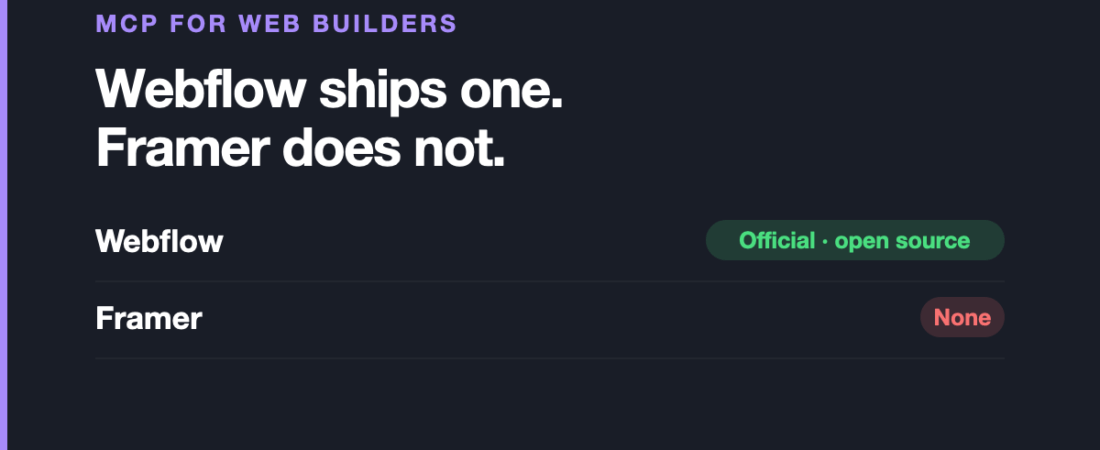
This category has the cleanest split in the entire series. One of the two dominant visual web builders shipped an official, open-source MCP server. The other has nothing official at all.
That single fact should drive your expectations more than any feature comparison, so we will start there.
This is the eighth article in our series on MCP servers, discipline by discipline.
Webflow: official, open source, and remote
Webflow launched its official MCP server in early 2026, making it one of the first website-building platforms to ship one. Three things about it are unusually good:
- It is built and maintained by Webflow, not a community wrapper.
- It is open source under an MIT licence, so you can read exactly what it does.
- It is hosted remotely at
mcp.webflow.com, so there is nothing to install.
Functionally it converts natural-language requests into real Webflow API calls: reading and updating sites, managing CMS collections and content, creating elements and editing pages. Any MCP-compatible assistant can use it.
The remote-hosted part deserves emphasis for this audience. Every CAD connector in this series requires installing something, editing a config file and matching versions. This one requires authorising a URL. For a designer who does not want to touch a terminal, that difference is the whole story.
Where it falls short: it operates through Webflow’s API, which means it can do what the API can do and nothing beyond it. Fine-grained visual design work is not an API operation — this is far stronger at CMS and content work than at pushing pixels. Bulk CMS edits through an assistant are also genuinely destructive if you get them wrong, and there is no undo for a bad bulk update in the way there is for a canvas edit. And an assistant with write access to a live site is exactly as risky as that sounds: work on a staging site first.
Framer: community only
There is no official, first-party Framer MCP server as of mid-2026. What exists is community-built plugins and open-source projects, with the variability in quality, support and longevity that implies.
This is not a knock on Framer as a tool. It is a statement about what you can rely on. If your Webflow-versus-Framer decision includes AI workflow integration as a factor, this is currently a real and one-sided difference.
Where it falls short: beyond the absence of a first-party option, community connectors here depend on interfaces Framer can change without notice, and Framer ships quickly.
What this category is actually good for
Being specific, because “control your website with AI” is doing a lot of work in most write-ups:
- CMS content operations. The clearest win by a distance. Creating, updating and reorganising collection items in bulk is tedious, structured, and exactly what an API-backed connector is for.
- Content audits. Asking which pages are missing meta descriptions, which collection items lack images, where alt text is absent. Reading and reporting is low-risk and immediately useful.
- Repetitive page assembly. Building many similar pages from a pattern.
And where it is not:
- Visual design. Layout, hierarchy and craft are not API calls, and an assistant working through an API has no eyes on the result.
- Anything on production without review. Web builders publish. A mistake here is public immediately, which is not true of a CAD file or a Figma frame.
Frequently asked questions
Is there an official Webflow MCP server?
Yes. Webflow launched it in early 2026, built and maintained by Webflow, open source under MIT, and hosted remotely at mcp.webflow.com so nothing needs installing.
Is there an official Framer MCP server?
No. As of mid-2026 only community-built options exist, so quality and longevity vary.
Do I need to install anything for Webflow’s server?
No. It is remote-hosted — you authorise it rather than install it, which makes it the most approachable connector in this series.
Can it design pages for me?
Not meaningfully. It works through Webflow’s API, so it is strong at CMS and content operations and weak at visual design work, which is not something an API expresses.
Is it safe to point at a live site?
It has write access, so treat it accordingly. Use a staging site while you learn what it does, and be especially careful with bulk CMS operations, which are hard to reverse.
Sources and when we checked them
All claims verified in August 2026.
Next, and last in this series: MCP for architects, where the biggest official release in this whole category landed with almost no coverage in design media. If you are still choosing between the two platforms here, the Framer versus Webflow comparison is on our blog.
122 ready-to-use AI prompts — organised by discipline and category, each copyable in one click, free and no sign-up needed. Browse the prompt library →