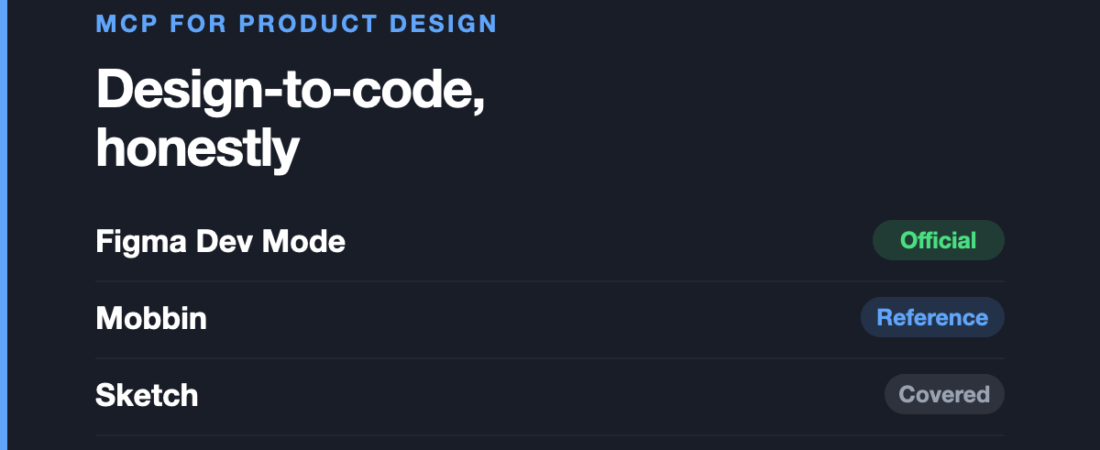
Digital product design is the discipline every MCP roundup is written about, and it is also the one where the gap between the promise and the reality is widest.
Key takeaways
- Figma’s Dev Mode MCP server provides layout, variables, and component context instead of making an assistant infer from screenshots.
- The remote Figma server needs nothing installed, while the local server runs through the Figma desktop app.
- Figma write-back exists but remains in beta, so production files should not be its testing ground.
- Mobbin’s connector supports competitive teardowns and pattern research, but it is a reference tool rather than production tooling.
- Design connectors solve an input problem; generated code still needs review against architecture, conventions, and accessibility requirements.
The promise is design-to-code: point an assistant at your Figma file and get a working component out. The reality is that the connectors are genuinely good at the part everyone underestimates — giving the assistant accurate context — and have no opinion at all about the part everyone cares about, which is whether the resulting code is any good.
This is the fourth article in our series on MCP servers, discipline by discipline, after industrial design and mechanical engineering.
Figma: the most mature connector in any discipline
Figma‘s Dev Mode MCP server is the strongest example of a vendor-built connector anywhere in design, and it is worth being precise about what it does.
It gives an assistant your actual design context — layout, variables, components — rather than a screenshot to guess from. That distinction matters more than it sounds. A model working from an image is inferring that a gap is 16px; a model with the file knows it, and knows the variable it came from.
There are two ways in. The remote server needs nothing installed and is already available. The local one runs through the Figma desktop app.
Reading design context is generally available and free during the beta period. Writing back to the canvas is still in beta.
Where it falls short: the desktop server requires a Dev or Full seat on a paid plan, so Starter users are excluded — which is precisely the group most likely to be experimenting. Write-back being in beta means you should not point it at production files yet. And most importantly: accurate context removes the guesswork, not the review. The code still needs reading by someone who knows your codebase, because the server knows your design system and nothing whatsoever about your architecture.
Mobbin: reference material, not production
Mobbin’s official connector gives an assistant access to their library of screens from shipped products. The argument for it is sound: left alone, a model will invent a plausible-looking checkout flow from an average of everything it has seen. Given real references, it can work from patterns that actually shipped.
For competitive teardowns and pattern research it removes a lot of manual browsing.
Where it falls short: MCP access sits behind a paid Mobbin plan, so there is no free way to evaluate it. It is also a reference tool — it informs what you make, it does not make anything. Treating a library of existing patterns as a source of decisions is how products end up looking like every other product.
Sketch
Sketch documents an MCP server in its own official documentation, which puts it in the vendor-built tier alongside Figma rather than the community tier. If you are on Sketch, start at their docs rather than a third-party wrapper.
Where it falls short: the same platform constraint that governs Sketch generally — macOS only. Any connector inherits that.
What is genuinely missing, and worth saying out loud
Roundups in this category tend to pad the list. Being straight about the gaps:
- Prototyping tools. Protopie and Origami Studio are where real interaction logic lives, and that logic — conditions, variables, sensor input — is exactly the kind of structured work an assistant should be good at. There is no meaningful MCP support to point you at.
- Research and testing tools. Synthesising interview notes or survey results is one of the clearest genuine uses for a language model in product design, and it is not served by connectors here.
- Open source design tools. Penpot is the obvious candidate for a community connector given it is open source and self-hostable, and its absence is more surprising than anything else on this list.
If your workflow centres on any of those, this category is not yet relevant to you, and it is better to know that than to lose an afternoon confirming it.
The design-to-code reality check
The honest framing is that these connectors solve an input problem, not an output problem.
Before MCP, the weak link was that the model could not see your file properly. That is now largely fixed. What has not changed is that generated code has no knowledge of your component library’s conventions, your state management, your accessibility requirements or the twelve decisions your team made last year that are not written down anywhere.
Where this genuinely pays off:
- First-draft components from a well-built design system. The more disciplined your variables and components, the better the output, because there is more real structure to read.
- Answering questions about a file. Which components use this colour, what spacing scale is in play, where does this variable get overridden.
- Reducing translation errors. Fewer eyeballed values, fewer near-miss spacing bugs.
Where it does not:
- Shipping without review. Nobody credible is claiming this, but it is worth stating.
- Rescuing a messy file. A design system held together with detached instances and one-off styles gives the assistant nothing structural to work from. Garbage in applies here with unusual force.
Frequently asked questions
Do I need a paid Figma plan to use the MCP server?
For the desktop server, yes — a Dev or Full seat on a paid plan. There is also a remote server that requires nothing to be installed. Check Figma’s own documentation for the current split, as this has changed more than once.
Can it write changes back into my Figma file?
That capability exists but is in beta. Reading design context is the generally available part. Do not point write-back at production files yet.
Will this replace a front-end developer?
No, and the reason is specific rather than diplomatic: the server supplies design context, not codebase context. It knows your spacing scale and nothing about your architecture, conventions or the reasons behind them.
Is there an MCP server for Penpot, Protopie or Origami Studio?
Not that we could verify. If that changes we will update this page rather than leave it stale.
Which should I start with?
If you use Figma, its own server — it is the most mature connector in any design discipline. Add Mobbin only if you will genuinely use pattern research often enough to justify the plan.
Sources and when we checked them
All claims verified in August 2026. Availability in this category changes quickly, particularly anything marked beta, and plan requirements change too — check the vendor’s own page before committing.
- Figma — Introducing our Dev Mode MCP server
- Figma MCP server developer docs
- Figma Learn — Guide to the Figma MCP server
- Mobbin MCP
- Sketch — MCP Server documentation
Next in this series: MCP servers for graphic design, covering Adobe’s official connector and what it can and cannot actually do. If you are weighing a move off Figma entirely, the Figma alternatives guide covers the same tools on price and platform rather than AI tooling.
Start with Figma if your team has a disciplined design system and wants better context for first drafts, file questions, or fewer translation errors. Skip this category for now if your workflow depends on prototyping logic, research and testing connectors, or open-source tooling, and do not expect generated code to ship without review.
Keep reading
Frequently asked questions
What are MCP servers for product design useful for?
They provide assistants with structured design context such as layout, variables, and components. That can help create first-draft components, answer questions about a file, and reduce translation errors, but it does not remove code review.
Does Figma’s MCP server write back to the canvas?
Write-back capability exists but is still in beta. Reading design context is the generally available part, so production files should not be used for testing write-back.
Can MCP servers replace front-end developers?
No. The server supplies design context, not codebase context, so it does not know your architecture, conventions, accessibility requirements, or undocumented team decisions.
Which MCP server should product designers start with?
If you use Figma, start with its own server because it is described in the post as the most mature connector in any design discipline. Add Mobbin only if you regularly need pattern research enough to justify its paid plan.
122 ready-to-use AI prompts — organised by discipline and category, each copyable in one click, free and no sign-up needed. Browse the prompt library →