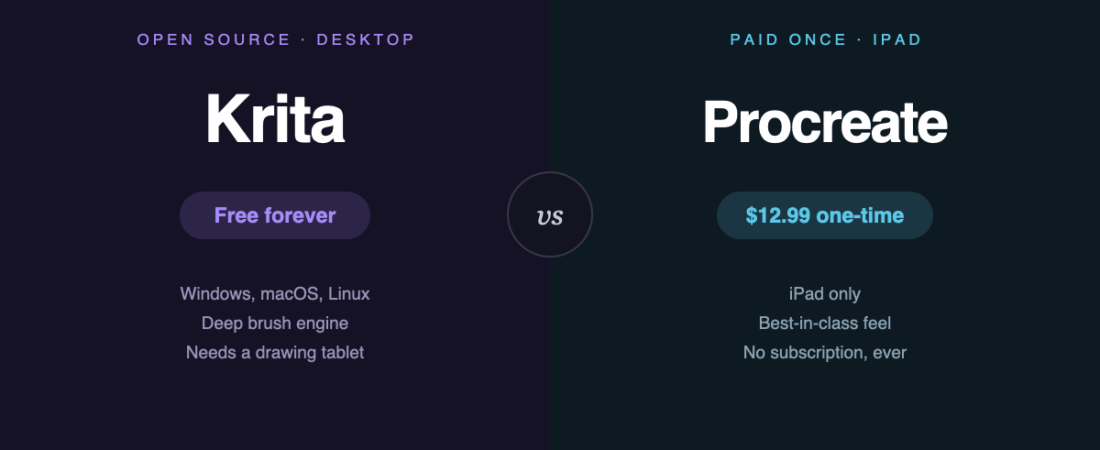
These two get compared constantly, and the comparison is slightly odd — because they don’t run on the same hardware. Krita is a desktop application. Procreate is an iPad app. That single fact decides the answer more often than any feature does.
The short version
- You have an iPad: buy Procreate. $12.99 once, and the drawing feel is the best there is.
- You have a computer and a drawing tablet: use Krita. It’s free, more capable in several areas, and runs on Windows, macOS and Linux.
- You have both: most artists who do use Procreate for sketching and finish on desktop.
What they cost
| Krita | Procreate | |
|---|---|---|
| Price | $0 | $12.99 one-time |
| Subscription | None, ever | None, ever |
| Platform | Windows, macOS, Linux | iPad only |
| Also needs | A drawing tablet, realistically | An iPad and an Apple Pencil |
| Animation | Built in, free | Basic; Procreate Dreams is a separate $19.99 app |
Worth stating plainly: the software costs here are trivial. The real expense is hardware. A usable iPad and Pencil is several hundred pounds or dollars; a decent drawing tablet for desktop starts far lower. If you own neither yet, that decision matters more than the app.
Where Procreate wins
The feel. Hard to quantify and impossible to ignore. Pencil latency, pressure response and the way strokes land make it feel closer to physical drawing than anything on desktop. This is why illustrators keep choosing it despite the platform limits.
Simplicity. Few menus, gesture-driven, learnable in an afternoon. Krita has more features, and that costs you in interface complexity.
You can draw anywhere. Sofa, train, outdoors. That sounds minor and turns out to matter enormously for how much you actually draw.
Where Krita wins
The brush engine goes deeper. Procreate’s brushes are excellent and adjustable. Krita’s are constructible — you can build a brush from its underlying behaviour rather than tuning presets.
Real animation, included. Frame-by-frame animation with onion skinning, free. Procreate’s animation is deliberately basic; the serious version is Procreate Dreams, a separate $19.99 purchase.
Large canvases and heavy files. Desktop hardware simply handles big print-resolution work better than a tablet does.
It runs on Linux. Small audience, but for them it’s decisive — Procreate will never exist there.
Where both fall short
Neither does professional print colour properly. Krita has some CMYK handling but it isn’t a print production tool; Procreate is RGB-first. If your work goes to a commercial printer, you’ll be finishing elsewhere — see GIMP vs Photoshop, where the same gap comes up.
Neither is a photo editor. Both are painting tools. For retouching, use GIMP, Photopea or Photoshop.
Neither does vector. For logos and scalable artwork you want Inkscape or Illustrator.
What about Clip Studio Paint?
It belongs in this conversation and usually gets left out. Clip Studio Paint runs on desktop and iPad, and for comics and manga specifically its panel, perspective and lettering tools beat both of these. If that’s your work, look there before choosing between these two.
The bottom line
This isn’t really free versus paid — $12.99 once is not a meaningful barrier. It’s desktop versus tablet.
Krita is the more powerful application and costs nothing. Procreate is the more pleasant one to draw in, and that pleasantness translates into hours actually spent drawing. Pick based on the hardware you own, or want to own — not on the price tag.
Sources
- Krita — official site
- Procreate — official pricing, checked August 2026
- Directory listings: Krita · Procreate · Clip Studio Paint
Banner produced in-house. Prices accurate August 2026.
122 ready-to-use AI prompts — organised by discipline and category, each copyable in one click, free and no sign-up needed. Browse the prompt library →