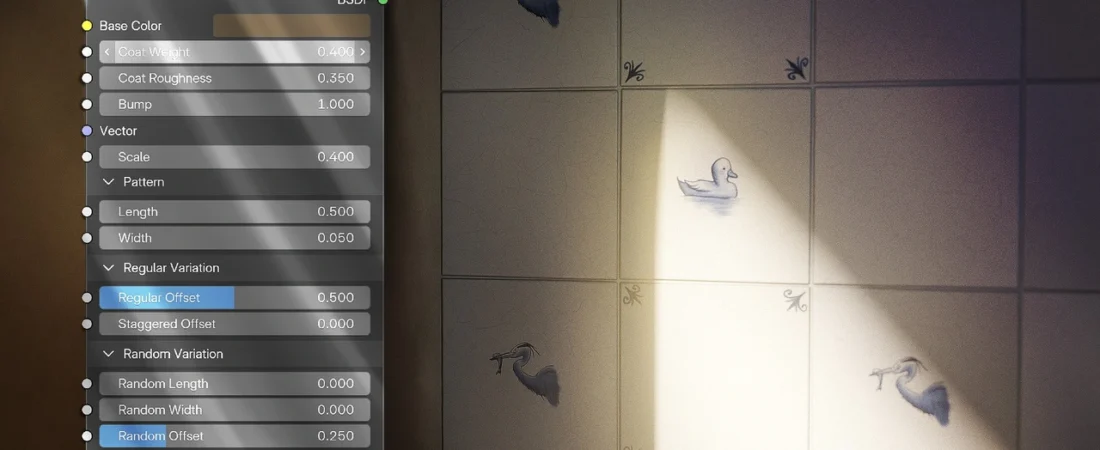
Blender 5.2 LTS vs latest is the question this release forces on every freelancer, because Blender 5.2 LTS is out and it’s the first release in a while that changes what you should install on a working machine. The headline feature isn’t a modelling tool. It’s that Blender can now pull assets from online libraries, and it ships with an Essentials Library of procedural materials, compositing effects, mesh assets and node setups already waiting for you.
That sounds like convenience. For anyone billing by the project, it’s a decision about reproducibility — and about whether the Blender 5.2 LTS vs latest release question even matters for the work you actually get paid for.
What Blender 5.2 LTS adds
Blender Studio’s own posts list the headline changes: Blender 5.2 LTS has been released, it adds remote access to asset libraries that you can add in a couple of clicks and host yourself, and it includes the Essentials Library with procedural materials, compositing effects, mesh assets and node setups.
Separately, Blender Studio confirms that 5.2 LTS brought textured Grease Pencil brushes, built by Studio artists with Grease Pencil developers and community contributors, including work on an original brush pack by Daniel M. Lara (Pepeland). The brushes appear in the Asset Shelf, and if you can’t see them, the fix is the Allow Online Access toggle under Preferences → System → Network.
What we have not verified: performance on your files, whether your add-ons survive the jump, and whether the online library behaves on a locked-down studio network. Those are yours to test.
Why LTS is the safer default for client work
An LTS branch exists so you don’t have to re-qualify your pipeline every few months. If you’re a freelancer with three active clients and a render deadline, the boring release is usually the profitable one. You install once, you learn its quirks, and you stop thinking about it.
The trade-off is real, though. LTS means waiting for features that people are already posting about. If a client asks for something built on a newer tool, you either upgrade mid-project or you say no.
The release cadence is the reason Blender keeps showing up in freelance pipelines: one install covers modelling, animation, compositing and, now, a fair amount of asset sourcing.
The online asset library is the actual story
Remote asset libraries are the feature everyone is talking about, and the reason is download size. Blender Studio says online assets let the application stay small while offering official assets for narrower use cases — you download what you need, when you need it.
For a freelancer, that’s a mixed gift. On a fast connection it’s a shortcut to a decent procedural material instead of building one from scratch. On a client site with a locked network, or on a laptop tethered to a phone, it’s a dependency you didn’t have before.
Before you rely on it, run one check: open a real project, pull an Essentials material, and confirm it resolves. If the toggle is off, nothing appears, and the failure looks like a bug rather than a setting.
What the new Grease Pencil brushes change
The textured brush set is the most immediately useful part of 5.2 LTS for anyone doing illustration or 2D-in-3D work. The range covers fine lineart strokes, larger surfacing textures, and patterns for scattering.
Blender Studio describes two material settings that made the brushes possible. One gives more control over how textured dots distribute along a stroke. The other removes a previous limitation: textures could only sit on the points of a stroke, and now they can be distributed along the entire stroke. Blender Studio says this improved performance and made strokes easier to sculpt and edit after drawing.
That second change matters more than it sounds. Editing a stroke after the fact is the difference between a brush you use once and a brush you keep in your default set.
Blender Studio also notes the brushes are currently Grease Pencil only, with more assets planned for Texture Paint, Vertex Paint and Sculpt.
How to decide, by project type
| Your situation | Install | Why | The catch |
|---|---|---|---|
| Ongoing client work, fixed pipeline | Blender 5.2 LTS | Stability and quality-of-life fixes are the point of an LTS branch | You wait for features others already have |
| Illustration and 2D-in-3D | Blender 5.2 LTS | The reworked textured brush set and stroke distribution land here | Brushes are Grease Pencil only for now |
| Offline or locked-down studio network | Blender 5.2 LTS, online access off | You keep the app without depending on remote libraries | You lose the Essentials Library entirely |
| Chasing a feature a client asked for | Newest release, in a separate install | Keeps the client happy without touching your main pipeline | Two installs to maintain and keep straight |
If you’re weighing Blender against paid alternatives for a specific job, our Blender tool page is the place to start, and the same logic applies to any subscription you’re paying for monthly.
The freelancer’s actual checklist
Don’t upgrade the machine you’re currently billing on. Install 5.2 LTS alongside your existing version, then do three things:
- Open your most complex current project and confirm it loads without add-on errors.
- Turn on online access, pull one Essentials material, and check it resolves on your normal connection.
- Draw a Grease Pencil stroke with a textured brush, then edit it after the fact. That’s the workflow the new stroke distribution is meant to improve.
Only after those three pass should 5.2 LTS become your default. If any fail, you’ve lost an hour instead of a deadline.
What this means for you
Blender 5.2 LTS is the release to standardise on if your income depends on files opening reliably. The online asset library and the Grease Pencil brush rework are genuine additions, not marketing — but both introduce a network dependency and a new asset workflow you should test before a client sees the output.
The honest limitation: Blender Studio’s own posts don’t tell you how the online library behaves behind a corporate firewall, and the new brushes don’t yet extend to Texture Paint, Vertex Paint or Sculpt. If your work lives in those modes, the most interesting part of 5.2 LTS isn’t for you yet.
Install it beside what you have. Test it on a real file. Then decide.
Sources
- Blender Studio — 5.2 LTS release overview and Customizing Material Assets training
- Blender Studio — new Grease Pencil texture brushes in Blender 5.2 LTS
122 ready-to-use AI prompts — organised by discipline and category, each copyable in one click, free and no sign-up needed. Browse the prompt library →